Content Dev:CC Clothing Skin Weight Templates
- Main article: CC Clothing Layer Guidelines.
Skin Weight Templates for Garments, Gloves, and Shoes
In Character Creator 5.2 (CC5.2), Transfer Skin Weight provides nine preset skin weight templates. Select the most appropriate template based on the garment’s pattern structure and cut.
For detailed specifications and application effects of each template, please refer to the User Manual.

Glove and Shoe Templates
Among the nine skin weight templates, developers should pay special attention to Glove and Shoe. These templates support automatic asset categorization and the Adjust Floor Contact feature.
Automatic Asset Categorization
When you save an asset whose weights were transferred using the Glove or Shoe template, the system automatically categorizes and saves it in the corresponding directory within the Content Manager. This helps maintain a consistent asset structure.
- Shoe template: Saves the asset in the corresponding Shoe directory.

- Glove template: Saves the asset in the corresponding Glove directory.

For detailed explanations of skin weights for shoes, please refer to the User Manual.
Adjusting Floor Contact
When an accessory configured with the Glove or Shoe template is applied to a character, selecting the character enables Adjust Floor Contact under Attribute in the Modify panel. This feature allows precise adjustments to the contact fit between the hands or feet and the ground.
- Apply the accessory configured with the Glove or Shoe template to the character.
- Select the character.
- In the Modify panel, go to Attribute and use Adjust Floor Contact to adjust the contact fit between the hands or feet and the ground.
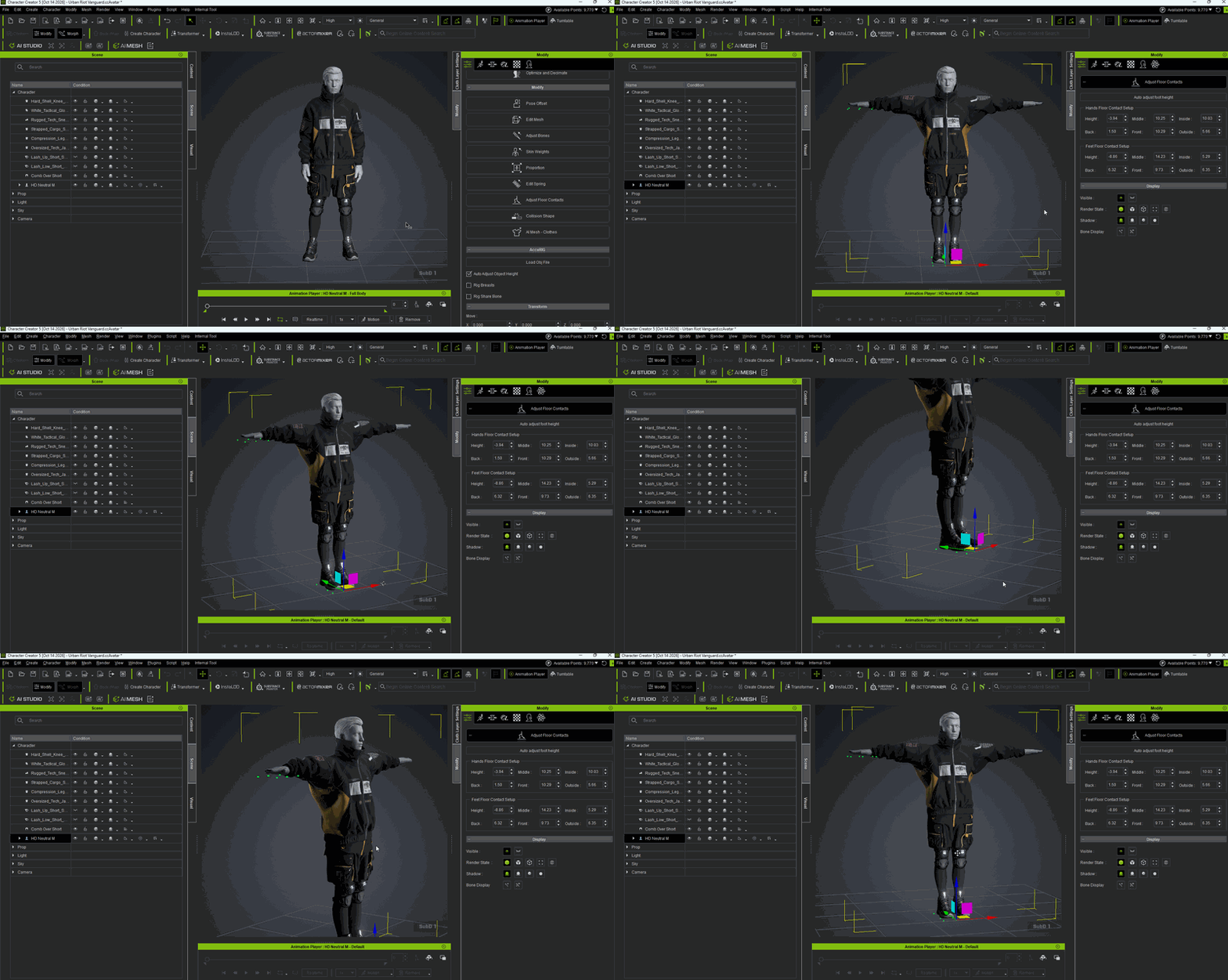

For detailed operations and parameter settings, please refer to Floor Contacts in the CC Shoes Creation Guide.
