Content Dev:CC Clothing Skin Weight Transfer
- Main article: CC Clothing Setup Guidelines.
Choosing a Pose for Skin Weight Transfer
In the Character Creator (CC) clothing development workflow, developers typically use Edit Pose to adjust the character’s posture to match the garment pattern, followed by Edit Mesh to fine-tune the garment mesh. Once refitting is complete and the garment fits the character, proceed with Transfer Skin Weight.
For detailed information on Transfer Skin Weight features, please refer to the User Manual.
Generally, you can execute Transfer Skin Weight in any pose, and the system records the current pose used for binding weights. For form-fitting or skin-tight garments, using the bind pose is strongly recommended, as explained below.
Transferring Weights Using a Specific Pose
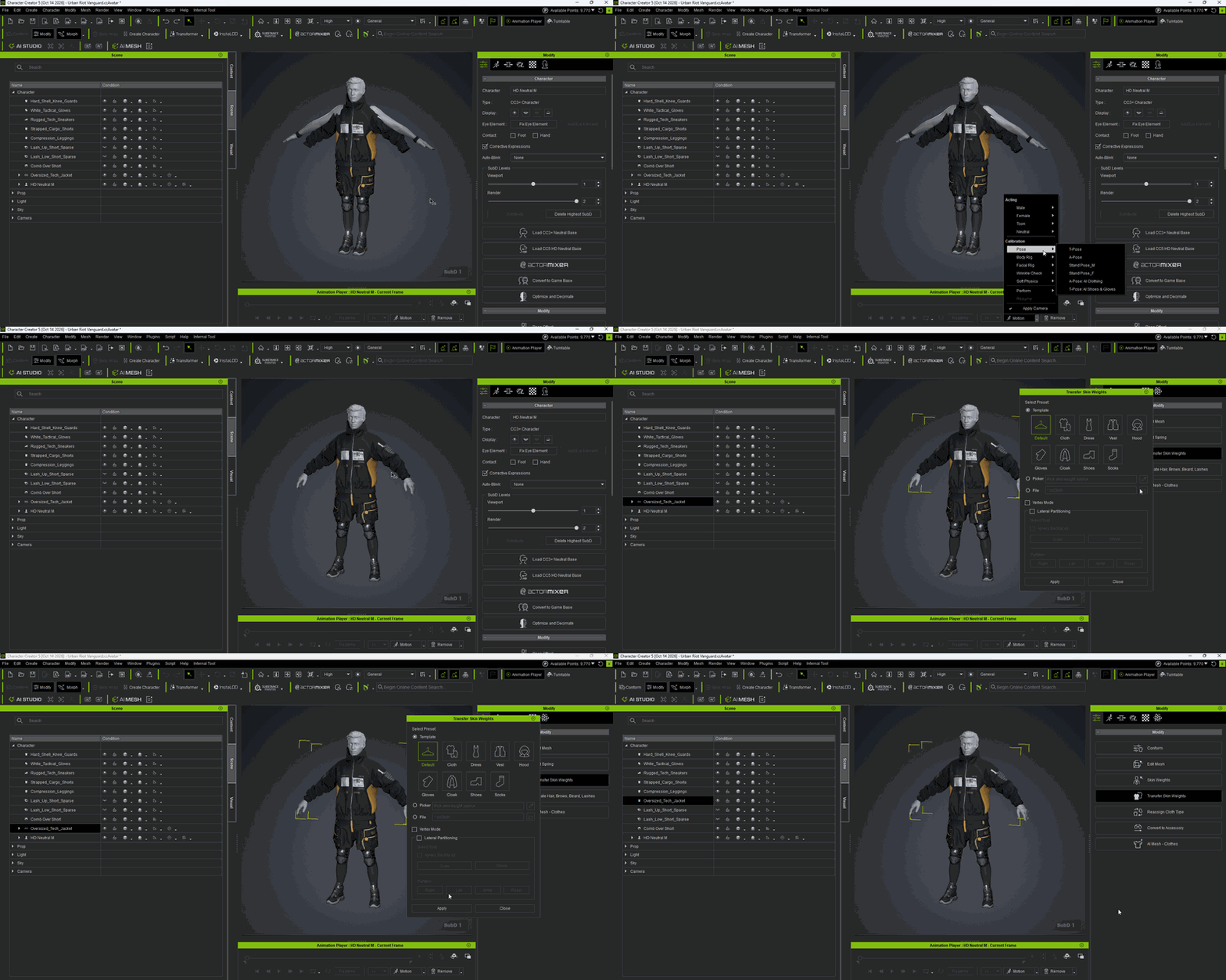
The following example demonstrates Transfer Skin Weight using Motion > Pose > A-Pose.
- Apply Motion > Pose > A-Pose and execute Transfer Skin Weight.
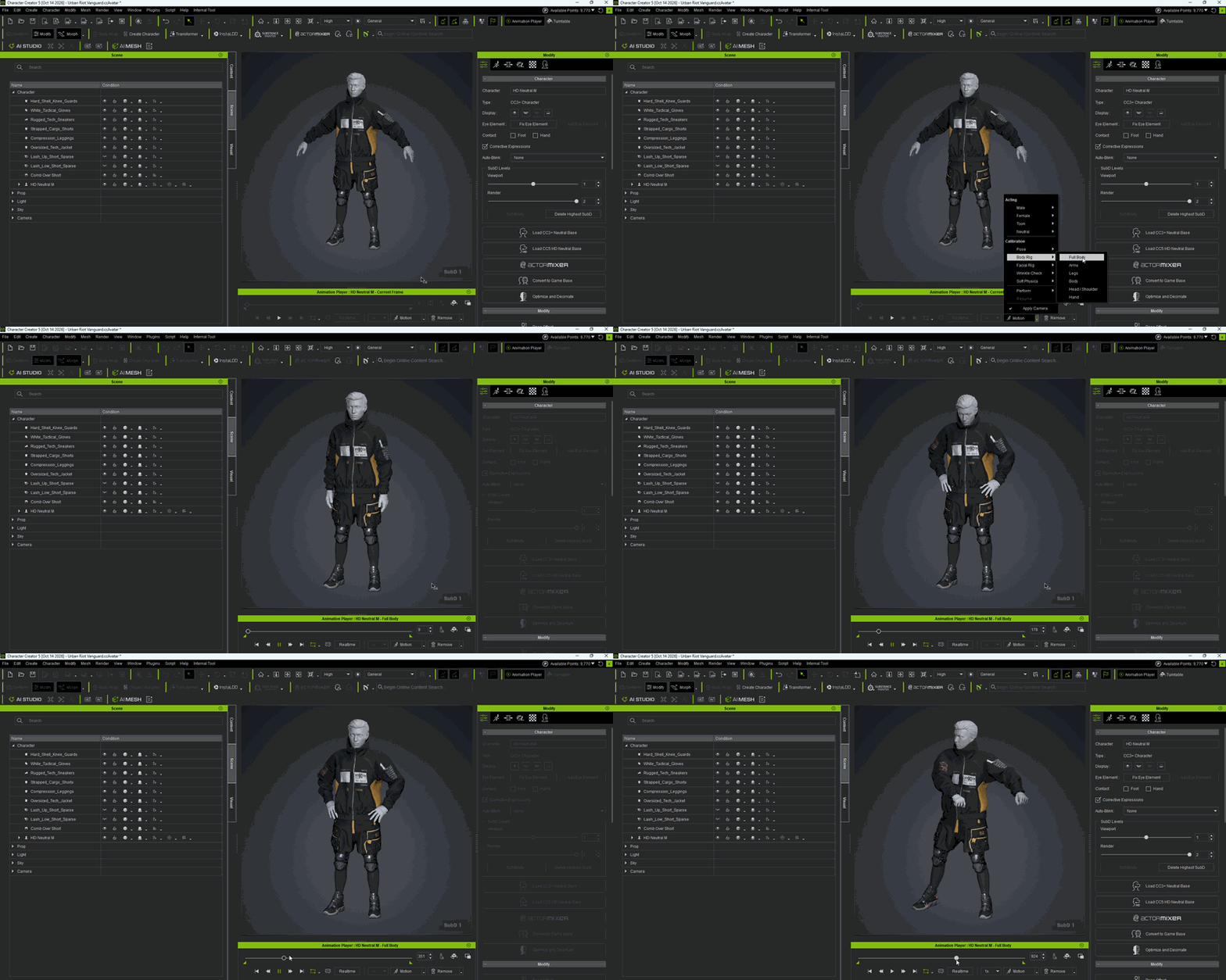
- After completing the weight transfer, use Motion > (Calibration) Body Rig > Full Body to test and inspect the skin weight performance.


Using Bind Pose for Tight-Fitting Garments
For form-fitting or skin-tight garments, such as bodysuits and underwear, it is strongly recommended to restore the character to the bind pose before executing Transfer Skin Weight. This helps achieve optimal automatic weight distribution.
Use Remove > Restore Bind Pose before transferring the weights.

Comparing Non-Bind Pose and Bind Pose
The following example shows how the transfer pose can affect the results for a tight-fitting garment.
Transferring Weights Using a Non-Bind Pose:

When testing limb articulation with Motion > (Calibration) Body Rig > Full Body, noticeable mesh penetration (clipping or poke-throughs) or mesh distortion may appear in the character’s underarm region. These issues can require additional time for manual skin weight refinement.

If this occurs, choose one of the following methods according to the garment’s pattern and fit.
Hiding the Covered Body Mesh
Instead of manually refining the skin weights, you can use the Hide Body Mesh Tool to conceal body regions that penetrate the garment.
For details, please refer to Hide Body Mesh Tool Settings or the User Manual.
Transferring Weights Again Using Bind Pose
You can also transfer the weights again using the bind pose:
- Restore the character to the bind pose using Remove > Restore Bind Pose.
- Select the garment and execute Convert to Accessory with Bake Current Shape checked.
- Perform Transfer Skin Weight again.
In this example, transferring weights using the bind pose significantly reduces weight artifacts in the underarm area.

Evaluate whether to use the bind pose for weight transfer according to the garment’s fit and tailoring requirements.
Refining Skin-Tight Garments, Gloves, and Accessories
For extremely skin-tight garments or accessories that require optimal deformation quality during complex animations, follow the complete workflow below. This workflow includes an initial weight transfer during refitting, followed by a second transfer and refinement in the bind pose.
Initial Weight Transfer
During refitting, the character’s limbs are usually posed to match the garment pattern, so the character is typically in a non-bind pose.
Execute an initial Transfer Skin Weight directly in this pose.

Converting the Garment to an Accessory
After completing the initial weight transfer:
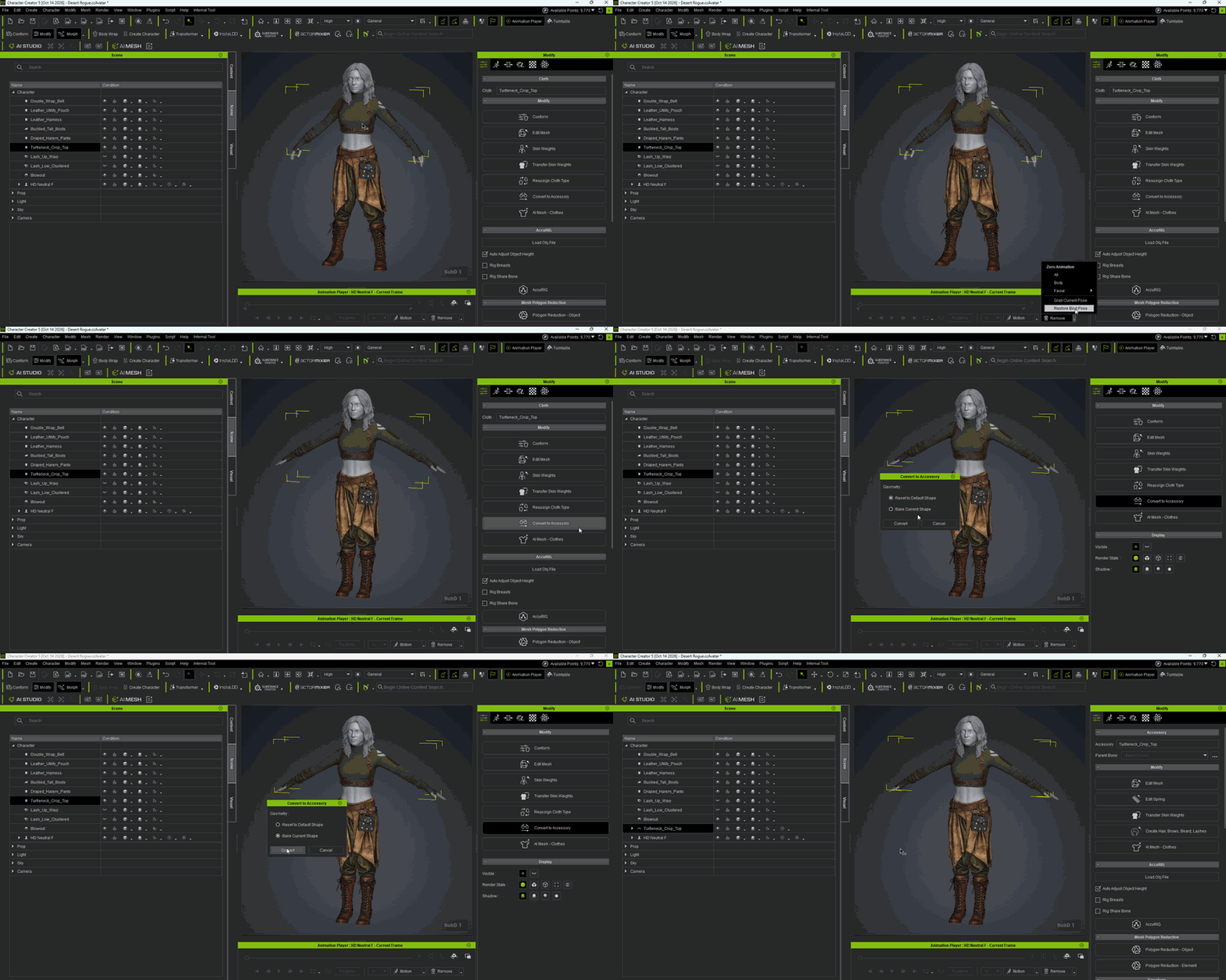
- Restore the character to the bind pose using Remove > Restore Bind Pose.
- Select the garment and execute Convert to Accessory.
- Check the Bake Current Shape option.

Transferring Weights Again and Refining
Execute a second Transfer Skin Weight while the character is in the bind pose. Use these results as the foundation for weight refinement and fine-tuning.

During refinement, use Skin Weight > Change Pose to verify that the system has correctly updated the binding reference pose to the bind pose.

